
I made Pagegloss as a small, free way to prepare a website for visitors who arrive with an AI agent. Give it your site address, review what you want to share, and copy the install code. You don’t need an account.
I think more of the web will be used through an agent acting on someone’s behalf. I don’t know how quickly that becomes ordinary. I wanted something useful to try now without asking a site owner to rebuild their website around that prediction.

The website still matters
When I think about a post-web future, I don’t picture deleting the website. I picture someone asking an agent to find something there before they open it themselves. The site still needs to explain the product, show the work, and give a person somewhere to make their own judgment.
I want the owner to have a say in the introduction the agent receives. Which description is accurate? Which links are worth following? What should it know about opening hours or a refund policy?
Pagegloss turns that information into a few read-only tools for compatible agents. It doesn’t add a chat widget or take over the page. The ordinary website stays in place. The workbench and FAQ explain that narrow scope.
Start with a real address
In a live check on October 15, I loaded madmanstudio.io. Pagegloss found the Madman Studio name, the homepage description, and six links. The install code became ready from that starting material.
That is a draft to inspect, not a reason to keep every result. A menu can contain links that don’t belong in an introduction. A homepage description might be technically correct but still need rewriting for someone who has never heard of the studio.
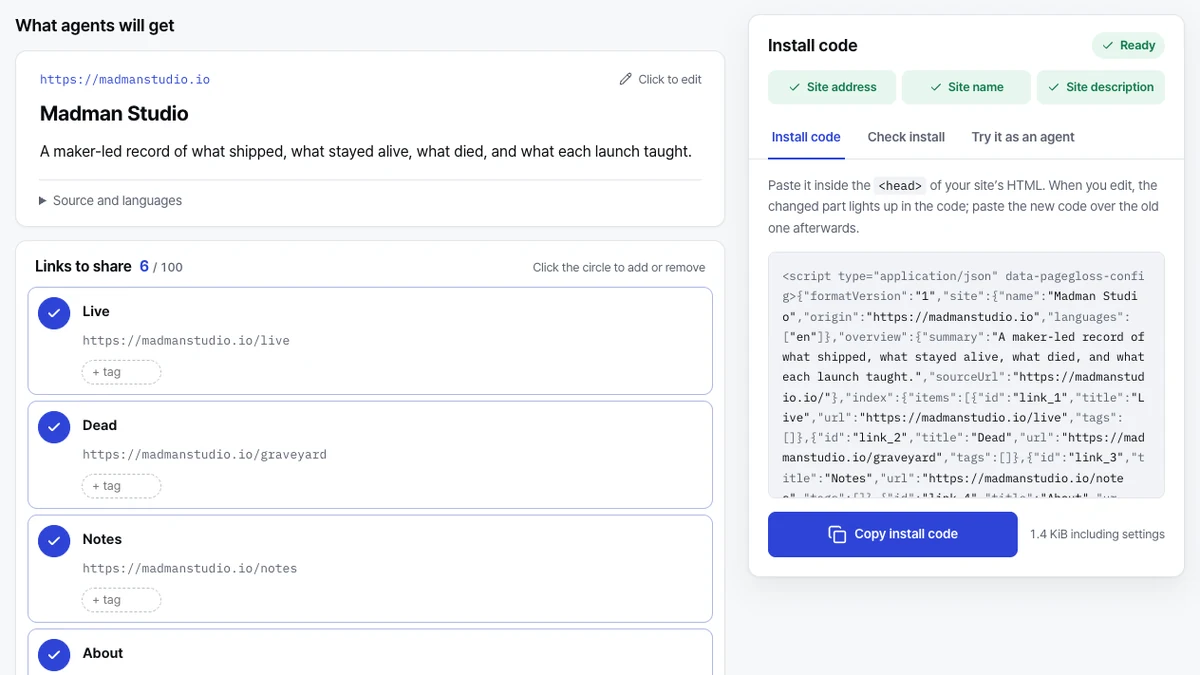
The editor lets you choose the links to share and add short guides for questions people ask. The generated tools cover the site overview, guide lookup, and link search. I kept this first version focused on reading information rather than giving an agent permission to change the site.
Keep the setup small
The current version keeps your draft in the browser, not in a Pagegloss account. Import and export are there if you need to move the draft elsewhere. That makes it worth exporting before clearing browser data.
Installation is a deliberate step: copy the generated code into the site’s HTML head. The settings are inside that code, alongside a CDN script. Later edits need another copy and replacement on the site; editing the workbench does not silently update a live installation.
I prefer that trade-off for this tool. There is a little manual work, but the owner can inspect what is being installed. Someone who only wants to try the editor can stop before changing anything on their website.
Early means early
Chrome’s WebMCP documentation, updated October 7, describes a proposed standard, with an origin trial from Chrome 149 and a flag for local testing. It is not something every browser or commercial agent supports. Clients also have to visit a site to discover its tools.
Pagegloss’s agent preview is useful for reviewing the information. It is not proof that a particular agent will use it, and it is not an installation test.
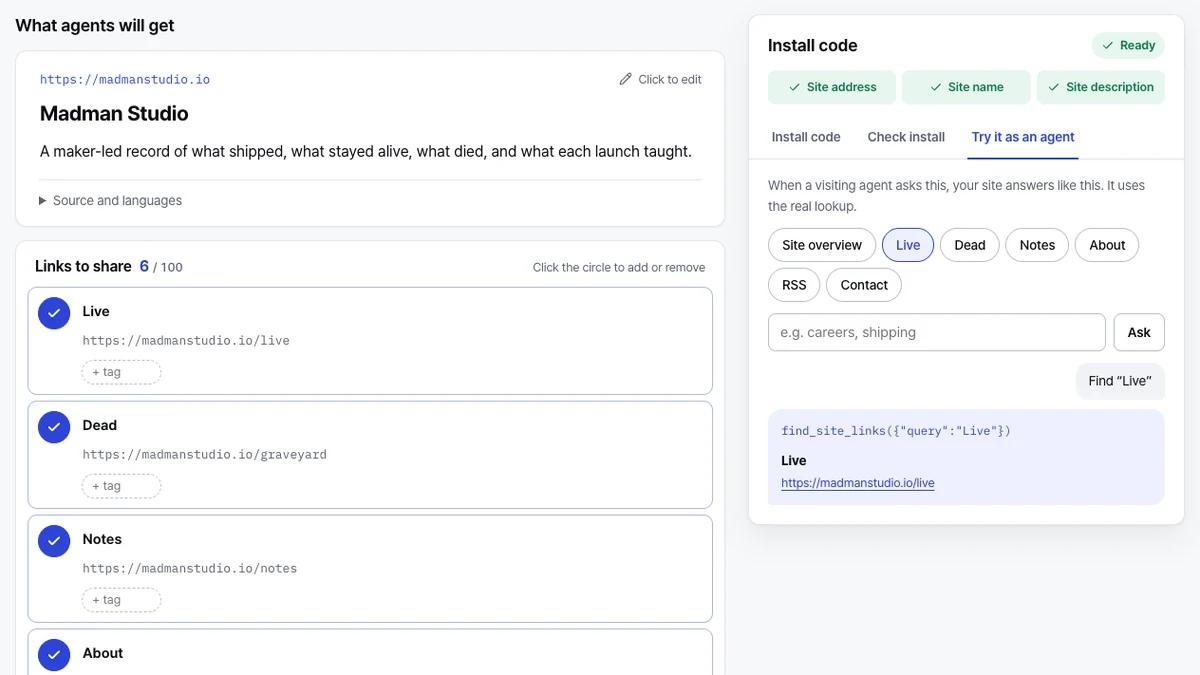
There is no search-ranking or recommendation promise here. Pagegloss prepares information for an agent that reaches the site; it does not submit the site to AI services or make anyone discover it.
For now, I want to make that preparation easy enough to try. Open Pagegloss, load your address, and look at the introduction your site produces. Whether you install it or not, you should be able to decide what an agent gets without first signing up for another service.
Pagegloss’s Live product file keeps the current scope alongside the other things I run.
Sources
- Pagegloss workbench and FAQ, checked October 15, 2026.
- Chrome for Developers: WebMCP, updated October 7, 2026; checked October 15, 2026.