
Pagegloss is a free tool for website owners who want to prepare information for compatible AI agents. It generates WebMCP install code from an editable site description, selected links, and short guides. There is no sign-up. The live workbench is the product, rather than a dashboard behind an account.
Why I made it
I expect more people to reach websites through an agent. I wanted a small way for a site owner to prepare for that possibility without redesigning the site or building a custom integration first.
The useful starting point is ordinary information: what the site is, where its important pages are, and the answers the owner wants to give. A shop’s shipping guide or a studio’s list of current products can be useful without giving an agent permission to place orders or edit records.
The current workflow
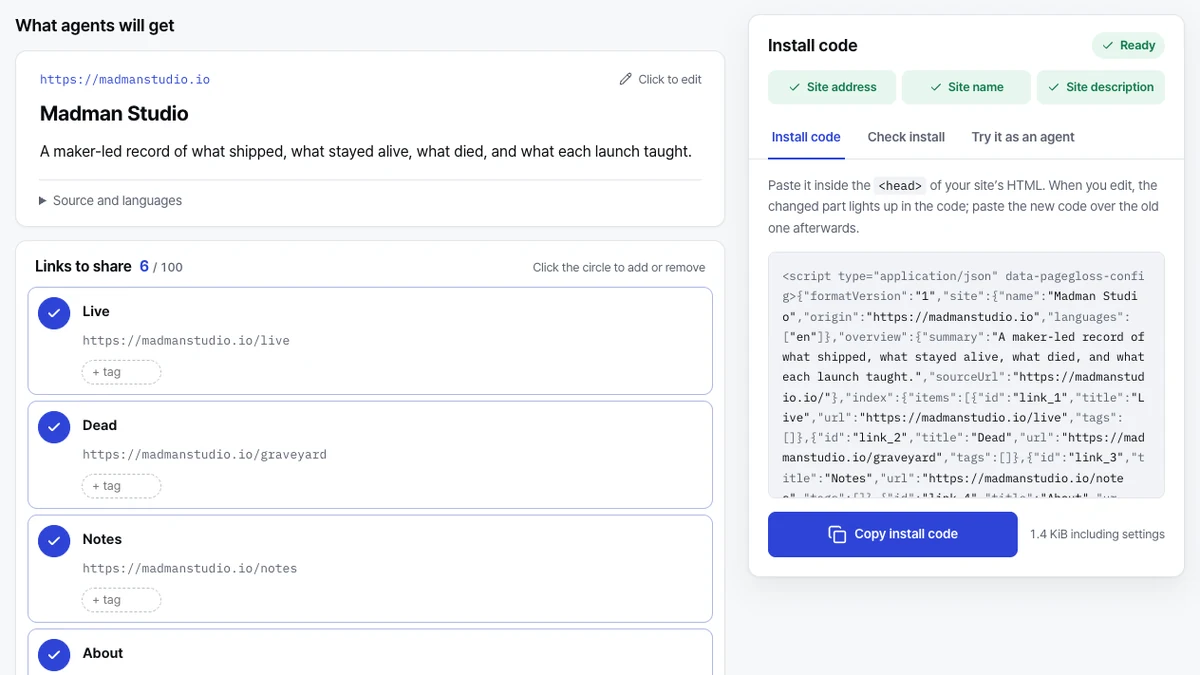
Enter a site address. Pagegloss reads the homepage once to draft its name, description, and menu links. Review the draft, remove links you don’t want to share, and add guides where they help. You can also write the information without loading an address.
The generated configuration starts with three read-only tools:
get_site_overviewreturns the site’s introduction.get_site_contextretrieves a guide by its ID.find_site_linkssearches the links the owner selected.
Copy the install code into the site’s HTML head when it is ready. It contains the configuration and loads a small CDN runtime. To change an installed configuration, replace the code on the site after editing. The browser draft is not a remote control for a live installation.
Drafts stay in the browser. Advanced import and export provide a way to keep a copy or move between devices; Pagegloss does not store the draft on its servers. The FAQ covers installation, editing, and this storage boundary.
What was checked
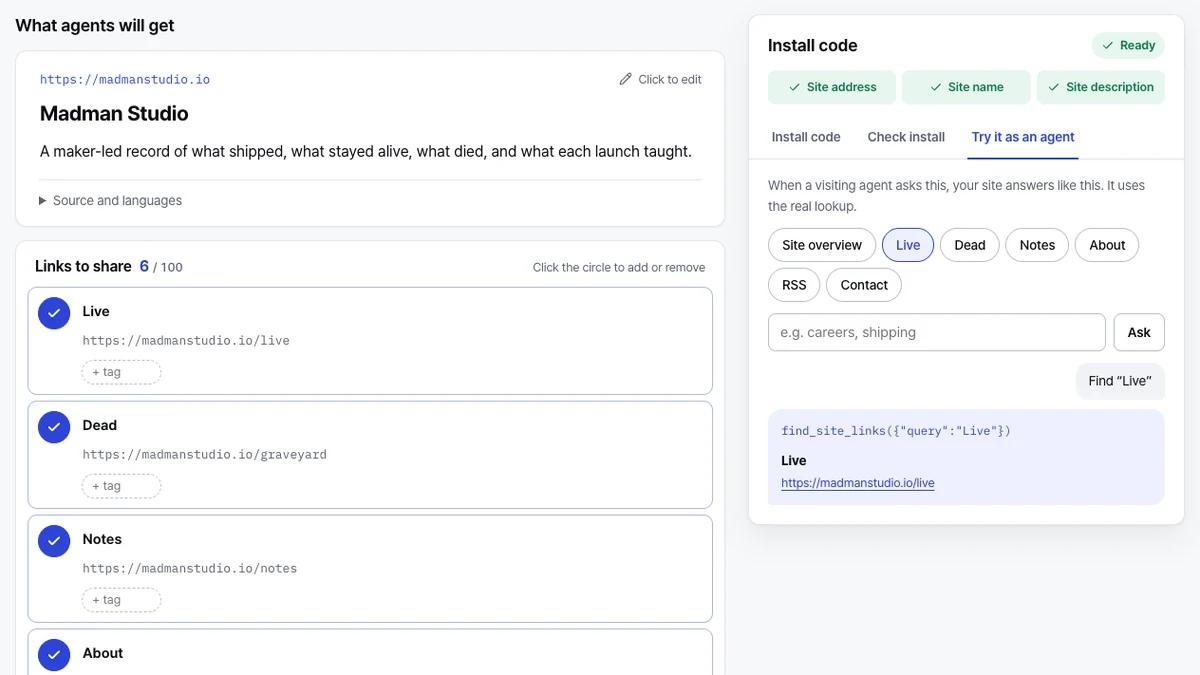
On October 15, 2026, loading madmanstudio.io returned its name, homepage description, and six links, with install code ready to copy. The built-in read-only preview also returned link results. Those checks exercised the editor and preview. They do not establish that the code was installed on Madman Studio.
Live tool, early standard
WebMCP remains a proposed standard. Chrome’s documentation describes trial and local-testing paths, not universal browser or agent support. An agent must visit the site to discover its tools.
Pagegloss prepares information for that visit. It does not promise AI search visibility, recommendations, or rankings. Its tools return the information the owner supplies; they do not change the site’s data or expose customer records.
The next question is whether this small setup is useful in real site-owner workflows as support develops. I would rather keep that question visible than turn an early browser capability into a claim about guaranteed traffic.
Open Pagegloss · Read the launch note
Sources
- Pagegloss workbench and FAQ, checked October 15, 2026.
- Chrome for Developers: WebMCP, updated October 7, 2026; checked October 15, 2026.